
Improving the Duo with 3D printing
November 17, 2026
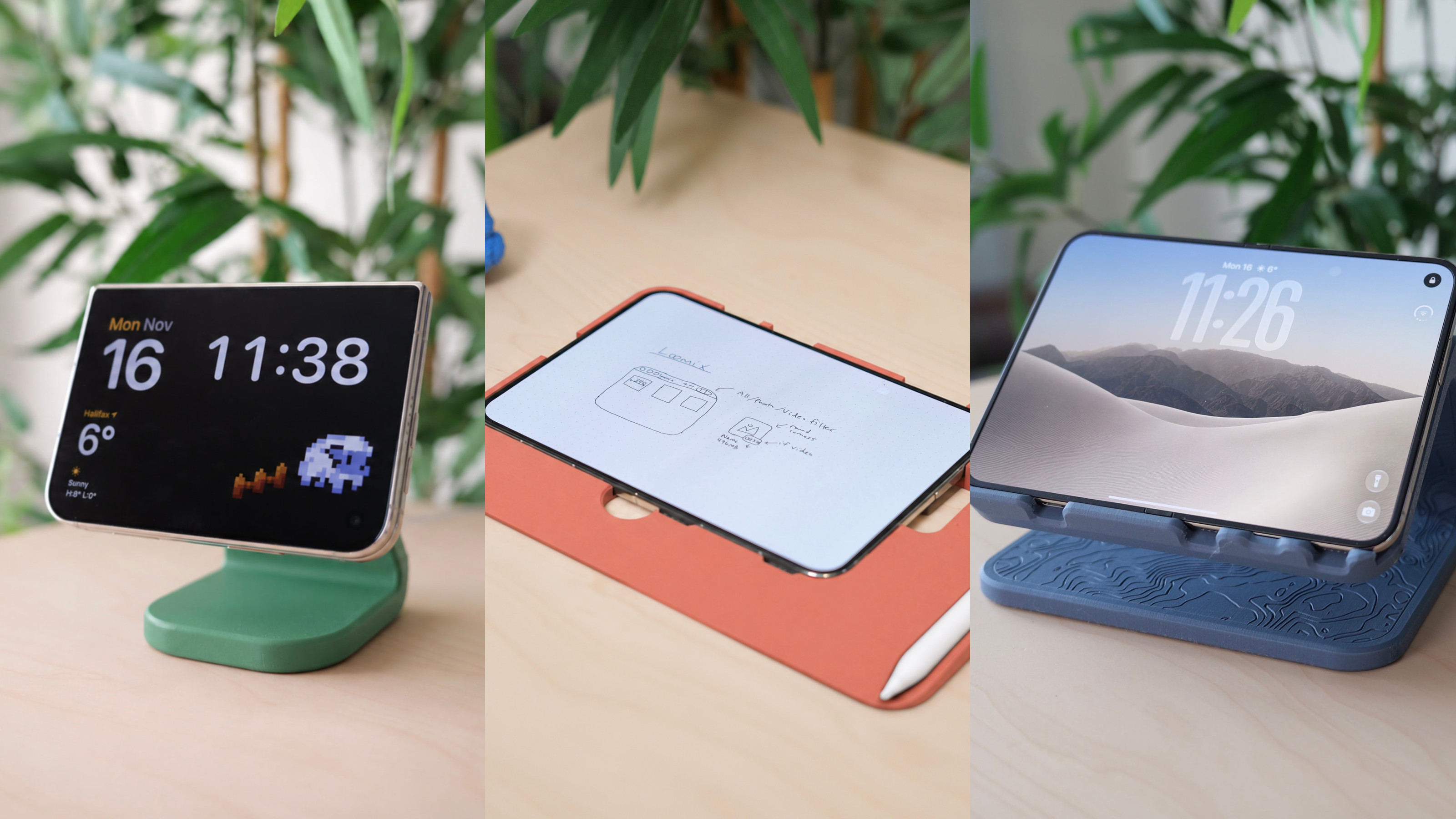
After a few weeks with the iPhone Duo, I love it, but the design being so different from typical iPhones presents a few more speed bumps in day to day life than I expected, so I’ve been taking a crack at fixing them with 3D printing and thought I’d share what I’ve been running into and some free files to fix ’em.
Drawing pad
I vibe-coded a little drawing app for my Duo since I couldn’t find an app I really loved (drawing apps are truly the modern to do list app in terms of people building their own, maybe I’ll release it one day) and I ended up being really surprised how much I loved using the Duo with the Apple Pencil. The nano-texture coating on the inner Duo display is actually so nice to write on.
… except the camera bump makes the thing rock like crazy when you place it on a table to draw. So my friend and viral mascot Charlie Chapman and I dueled on designing 3D printable pads so the Duo could sit on something that would make it flat. His is sleek, compact, and allows charging, while I wanted something that was a bit wider/taller so you could have a place to rest your hand when writing at the extremities.
Some features:
- Finger holes to easily get the Duo back out
- Padding around the sides so if you’re drawing at the extremities of the Duo your hand has somewhere to rest (and only pads the sides you’ll actually use, with left and right handed versions available)
- Wedge design (like an old MacBook Air) so even if you slide your hand off the bottom a bit it moves nicely onto your desk
- Apple Pencil slot (available even when the Duo is in it which I use more than I expected)
- Roomy power button cutout, as well as speaker/mic cutouts
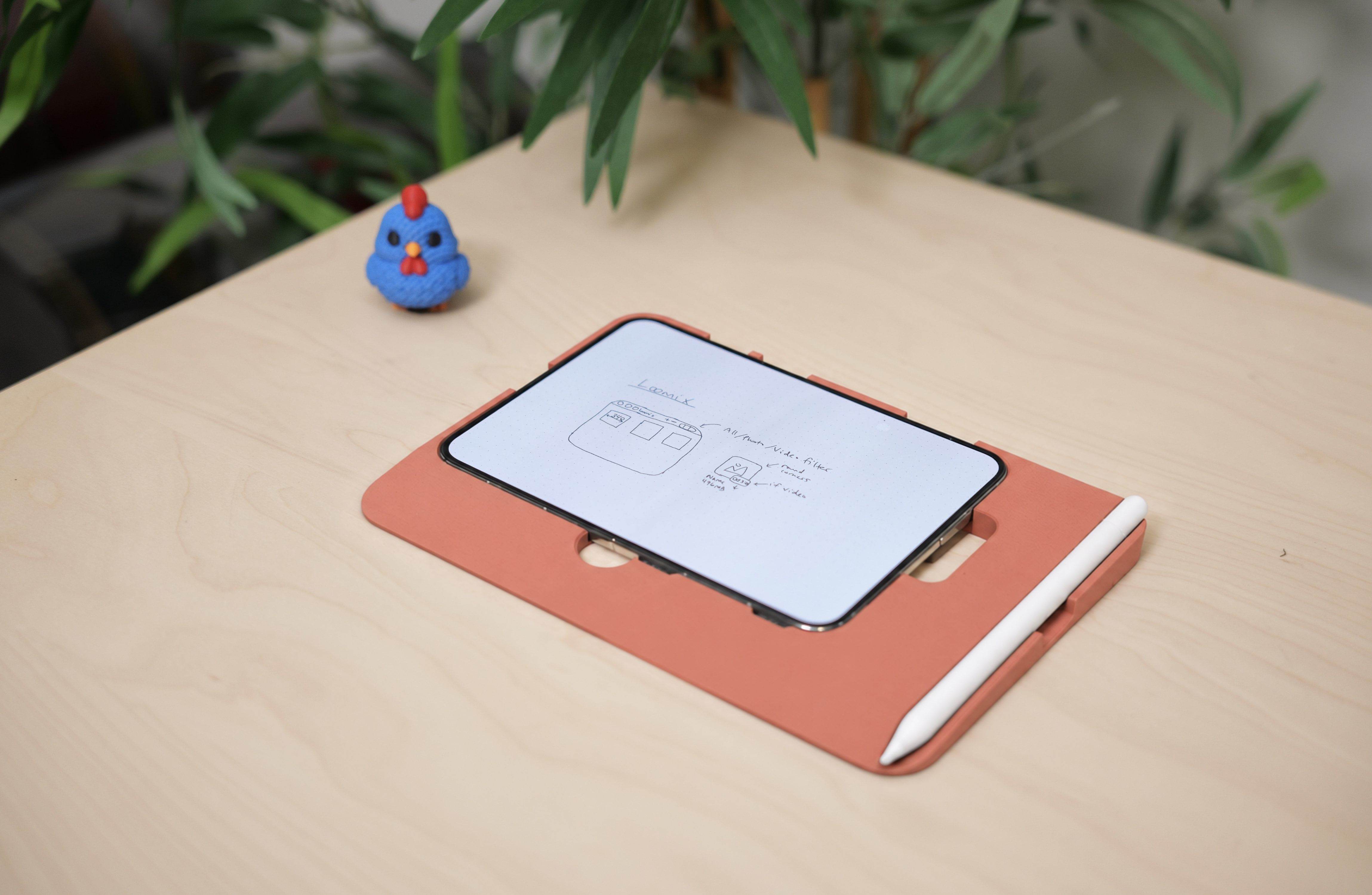
It’s made sketching on the Duo so much more comfortable.
Link to download. Print at the lowest layer height you can so the wedge shape doesn’t have stair-stepping (can the mainstream printers support non-planar printing yet c’mon). I just printed it at 0.04 mm (had to ignore a warning in my slicer) and let it do the 7 hours overnight, but even at 0.12 it’s not bad at all.
Desk/developer stand
A lot of the time the Duo sits on my desk as an iOS dev device, and I haven’t found a nice stand for it yet, despite accumulating quite a few over the years. The Duo is just such a unique shape that maybe you can find a stand that works well in one pose, but in another it’s unstable and weird. As a developer you need one that works in all of them.
The bad:
- Traditional phone stands (that just have a little shelf) aren’t very wide so they doesn’t cover the full width of the phone when closed, and when open they feel worryingly wobbly if you tap the edges of the Duo
- They have a lip with no cutouts at the bottom so you can’t plug it in over USB-C (which is really handy to be able to do for development)
- If you open the phone and put it in portrait, most stands are short and don’t support the height of the device very well, so tapping near the top of the Duo in portrait causes the whole thing to either flip over or have the Duo slide off
- The stands that do handle portrait well have an extra “hook” around the shelf at the bottom, that kinda locks the phone from being able to tip, but that makes it so you can’t open and close the Duo easily because that extra lip gets in the way!
- They’re not made with the Duo’s ports in mind, so depending on whether the Duo is opened or closed, it’s hard to plug in or the speaker/mic is blocked
- Floating MagSafe stands don’t really work at all when the device is open, as the magnetic connection is just on one side so the device slowly rotates like a clock
So with my swing at it, I made these changes:
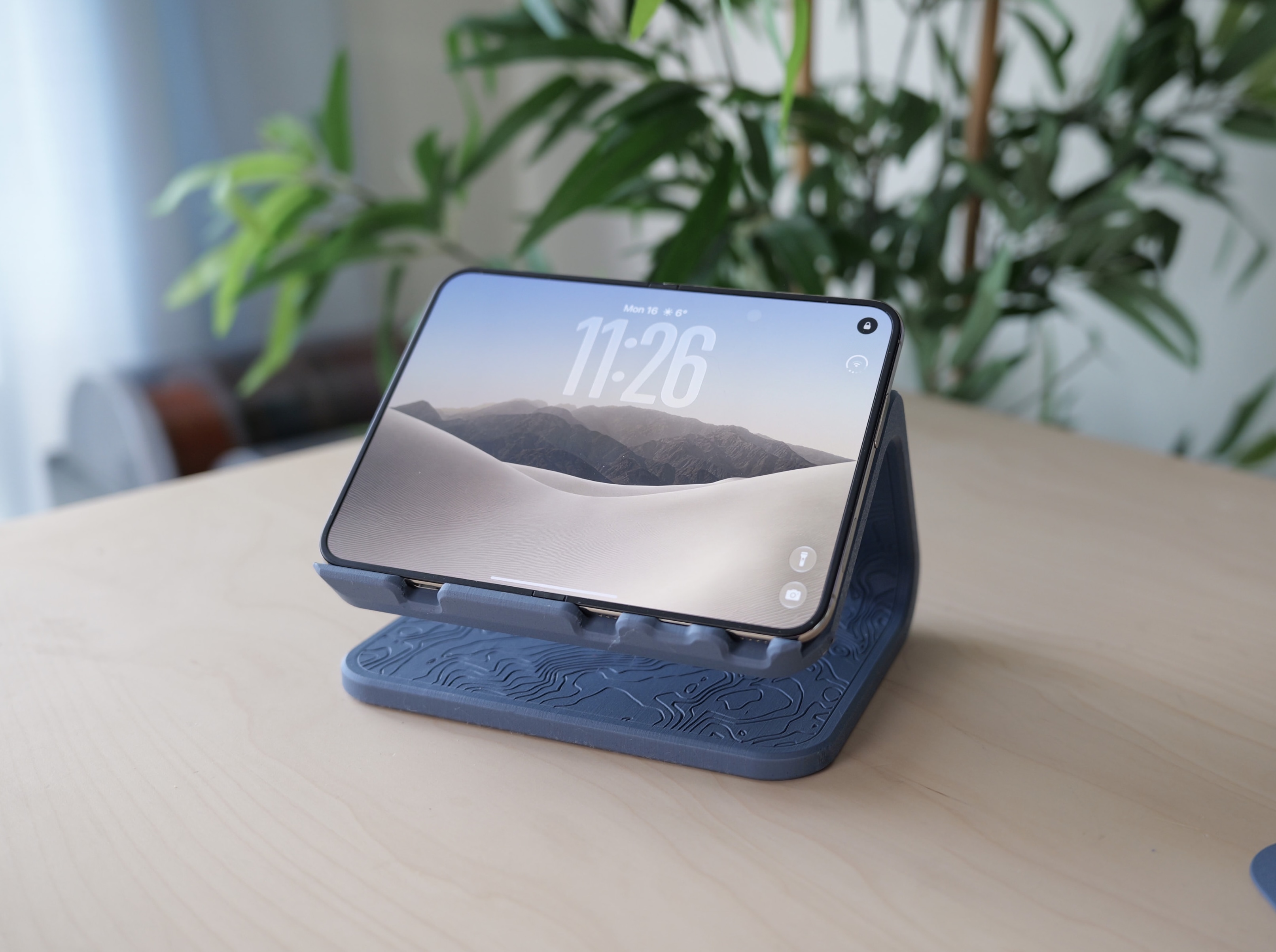
- Wide enough to comfortably support the Duo both open and closed
- MagSafe support with a lip so the Duo doesn’t rotate awkwardly from its width
- The lip has a small groove specifically for the Duo that balances preventing the Duo or the stand from tipping over in portrait, while still making it easy to open and close
- The back of the stand extends up pretty much as far as it can go (without clipping the camera plateau when the device is closed) so that it has a lot of back support in portrait
- Ports as well as speakers/mic are always open
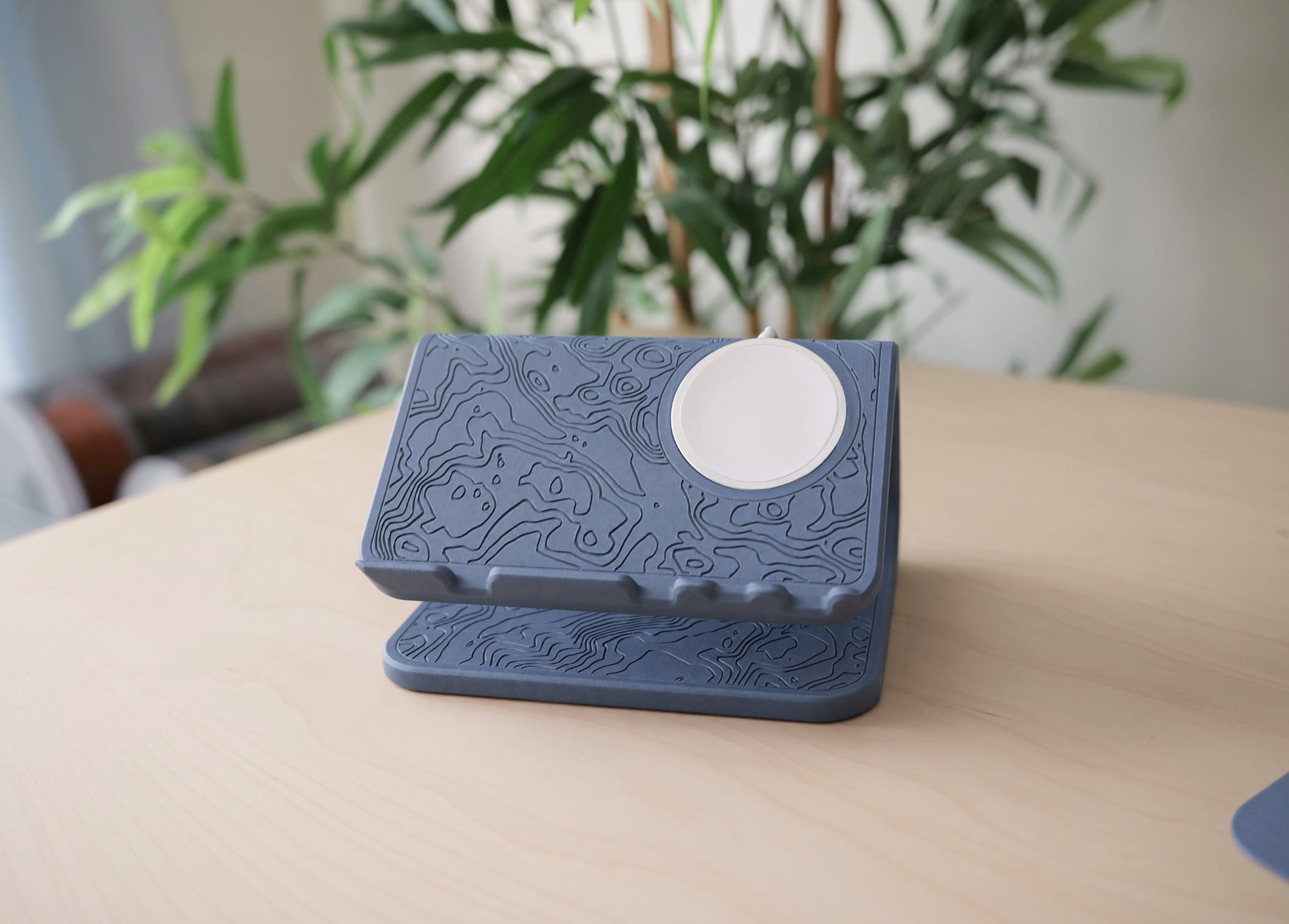
- A really cool topographical pattern cut into the design, from areas around my home province of Nova Scotia
Here’s a picture of the result that I’ve been using for about a week and have been super happy with:
With the Duo on it:
I also wanted to make it adaptable depending on your preferences, so I had Claude convert my Fusion document to OpenSCAD which has really rich variable support (much better than Fusion’s), so you can do stuff like:
- Disable the topographical pattern entirely (speeds up the print drastically as you don’t need to print lots of line detail to get the topographical pattern looking nice, but you miss out on the nice topographical pattern!)
- Turns out my old MagSafe puck and my new one are slightly different diameters and Apple changed them in September 2024 when they bumped the speed up to 25W, so you can select which version you have for optimal fitment
- You can even add an extra (or two) MagSafe pucks to the bottom surface, or swap one (or both) for an Apple Watch charger
Link to download. Remember that it’s a fair bit faster (though less pretty) if you disable the topographical pattern.
(Works nicely with iPads too.)
Nightstand StandBy Mode stand
While the previous stand can totally be used on your nightstand, I wanted something that let the phone sit at a steeper angle so it was easier to see in bed, and I never use Duo in “open mode” on the nightstand so I could also make it a fair bit smaller.
My existing stand I used for my old iPhone Air and 15 Pro does not work with the Duo since it’s a little wide and the edge of the stand smacks into the Duo’s camera plateau when it’s in the horizontal, closed StandBy Mode orientation.
So my goals for this stand were:
- Barely larger than the MagSafe puck itself, so clearance with the camera plateau is a non issue
- Have an L stand looking like the old iMacs/Cinema Displays so when the Duo is attached in landscape the Duo looks like it’s floating. This took quite a few tries to ensure the cable coming out the top both didn’t collide with the camera plateau and had enough of a radius to bend nicely
- Have the cable tuck in tidily, so there’s a little clip to keep the cable in place
I’d recommend using some double-sided tape to really lock the MagSafe puck in place, as even though it has a nice, tight friction fit, if it warms up while charging I had it pull the puck loose once or twice when picking the phone up.
Here’s that stand:
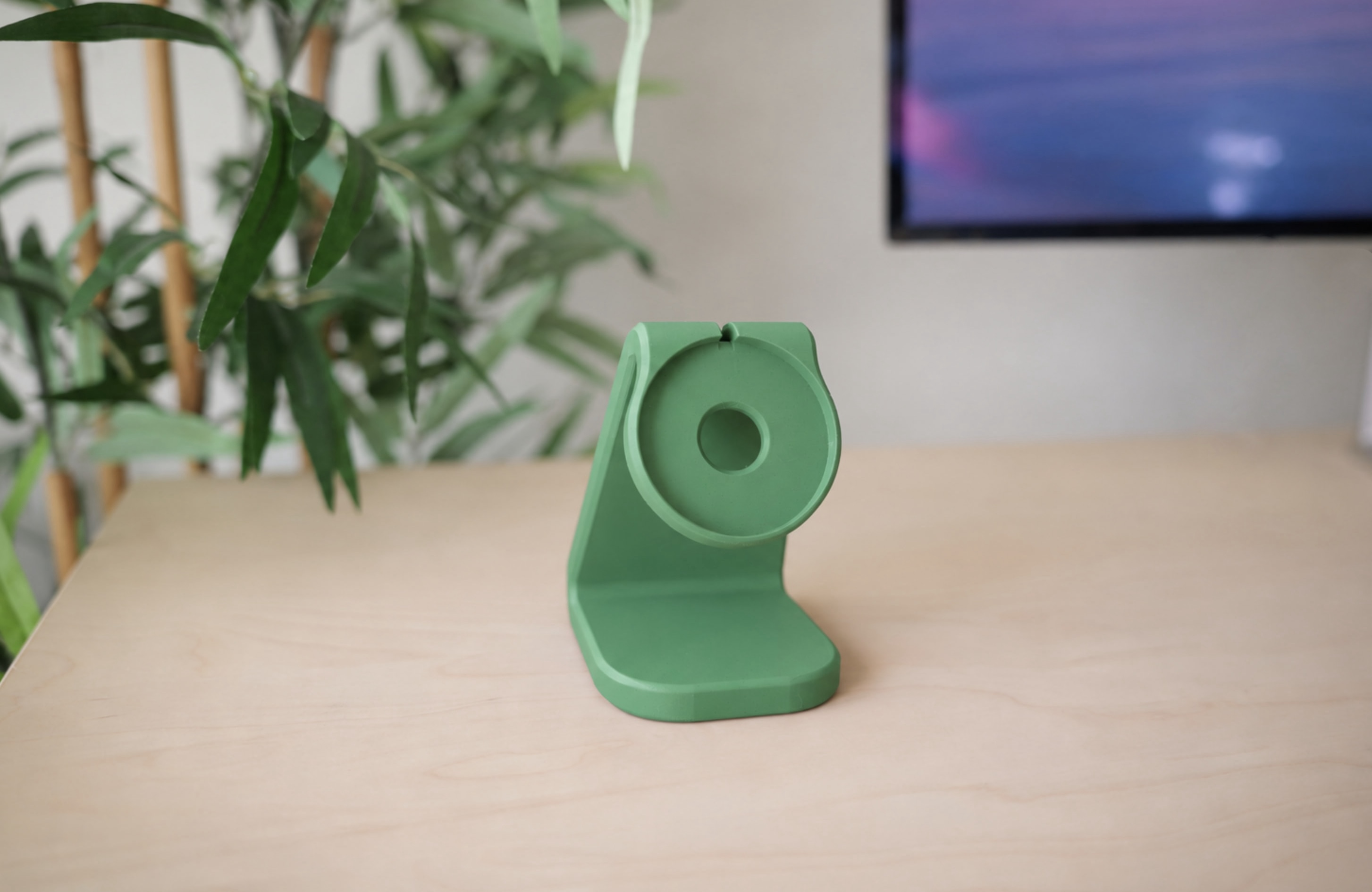
And with the Duo on it:
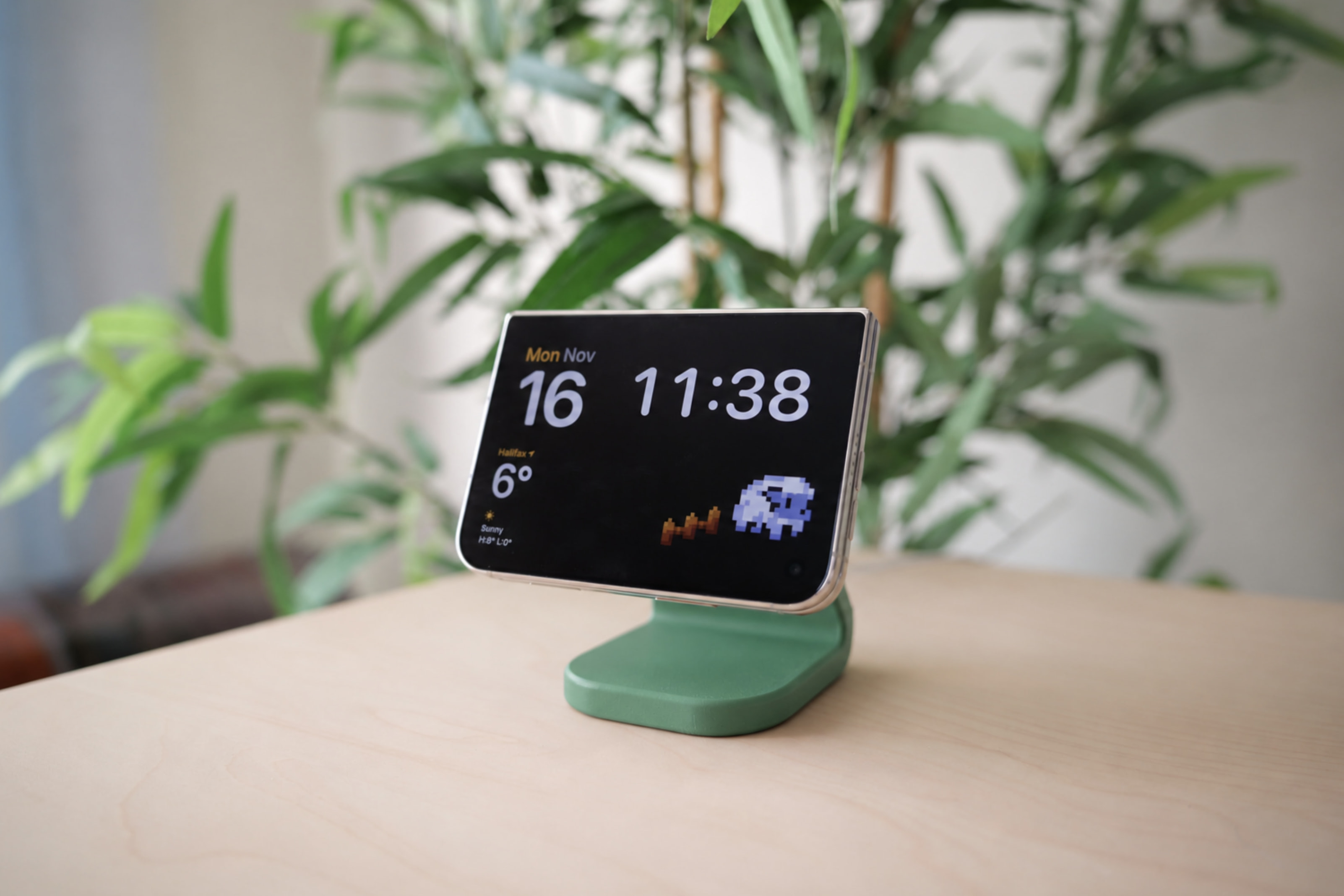
The Duo docks on it so nicely versus my old stand (in either closed orientation), and if you pull it off by tilting downward the stand also stays in place while undocking!
And for what it’s worth it works totally fine with other iPhones too, not just the Duo.
Similar to above, you can tweak this model’s MagSafe puck cutout dimensions using the “Customize” button depending on whether you have an earlier Apple MagSafe puck or even a third-party one.
Let me know if you use any of these, would be cool to see them in use, and I hope they’re handy!